How to link your bank account on Independent Reserve
Brendon LimUpdated Knowledge base1 min read

Before you begin trading on your Independent Reserve account, you must link your bank account(s) before you can make any deposits or withdrawals of Singapore Dollars (SGD) or US Dollars (USD) using FAST or SWIFT.
This article guides you on how you can link your account on Independent Reserve.
Log in to your Independent Reserve account
- Navigate to the Independent Reserve page and login to your account.
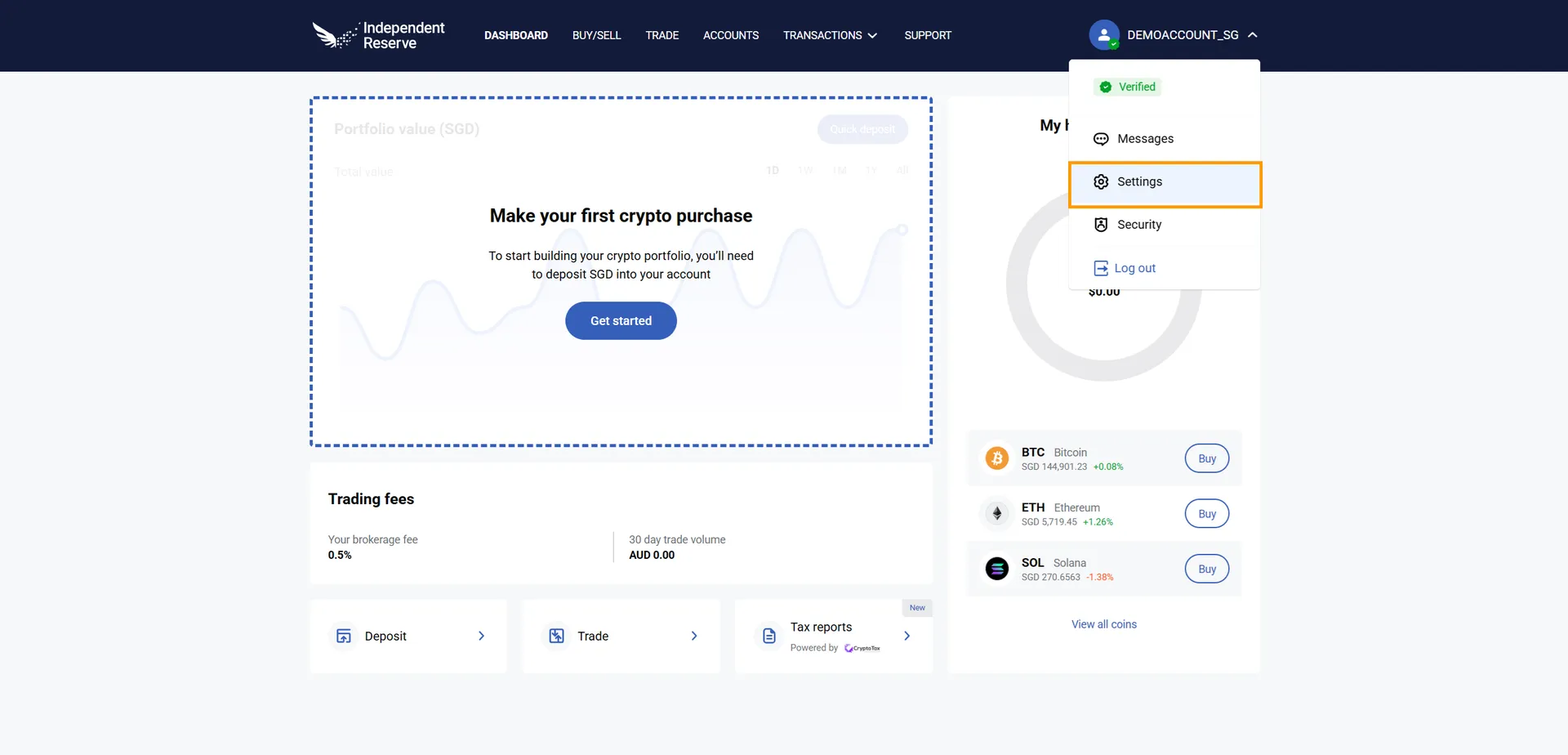
- Click on your username, then click Settings.
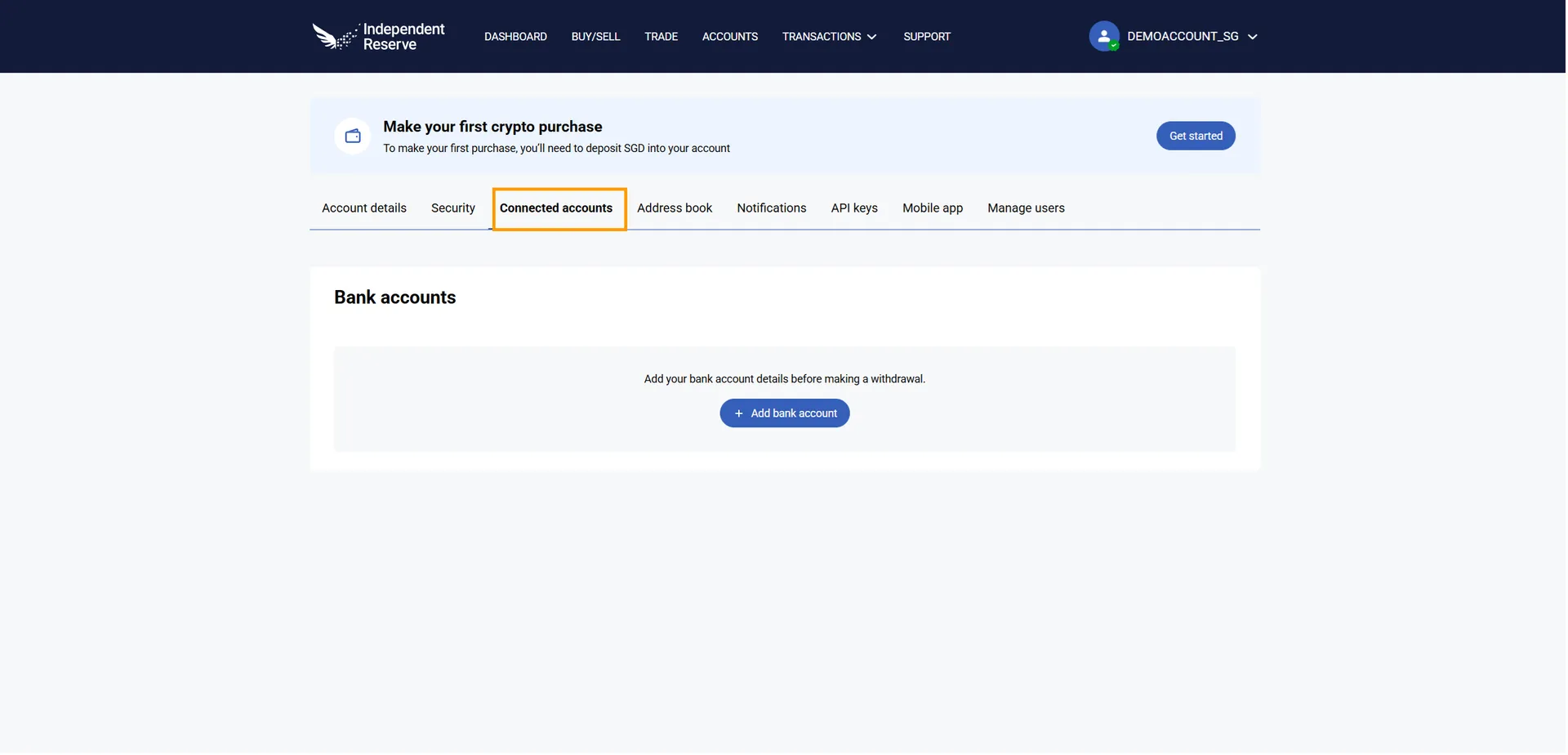
- Click on Connected Accounts tab.
- Then click Add bank account.
Linking your bank account for SGD transfers
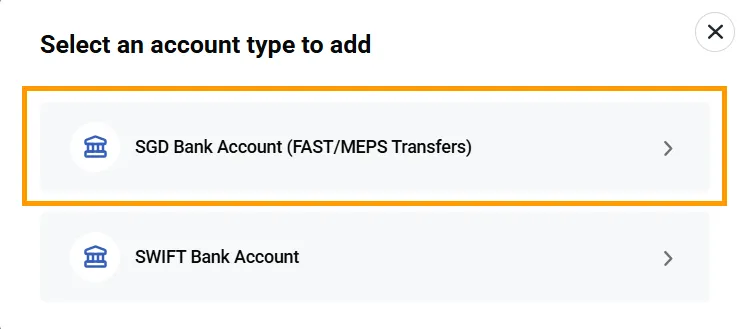
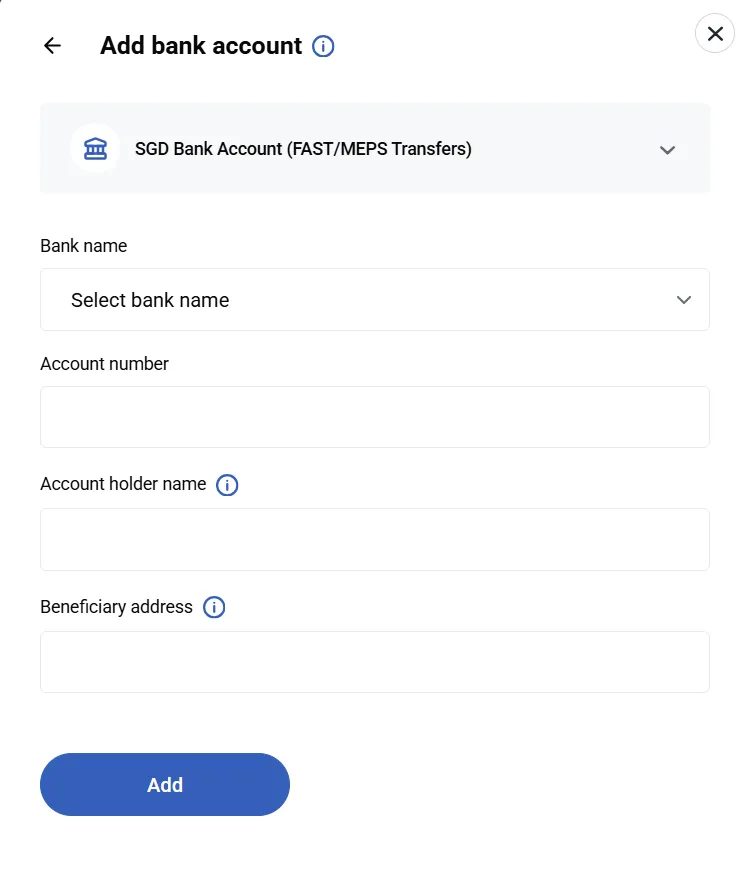
- Select SGD Bank Account (FAST/MEPS Transfers).
- Select the bank from the drop-down menu.
- Add in your bank account number.
- Type in the Account Holder’s name. Please note that the bank account name must match your Independent Reserve account’s name.
- The beneficiary address will be automatically filled based on your provided address when registering for the account.
- Click Save.
Linking your bank account for USD transfers
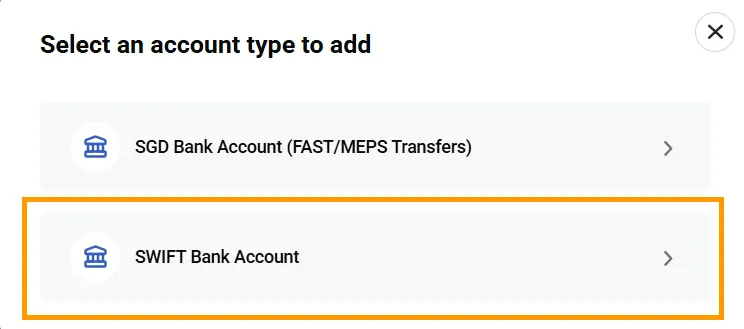
- Select SWIFT Bank Account.
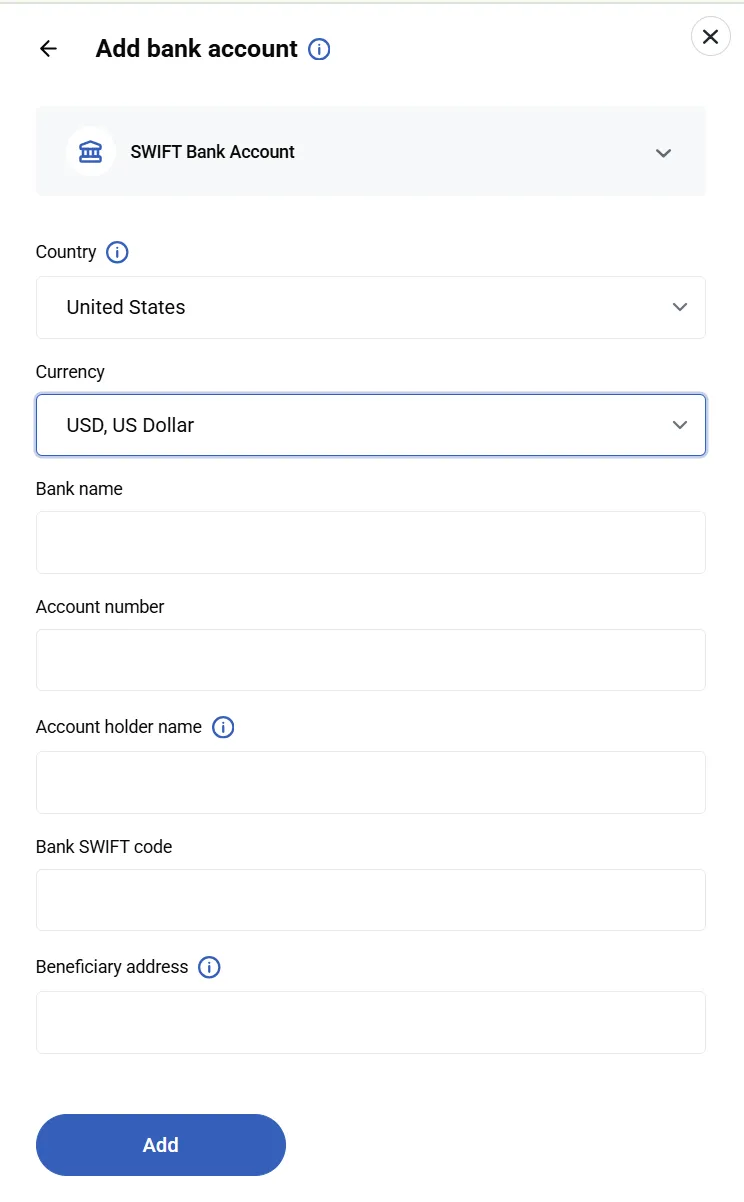
- Select the country and currency from the respective dropdown menus.
- Provide the information in the respective fields.
- Click Save.
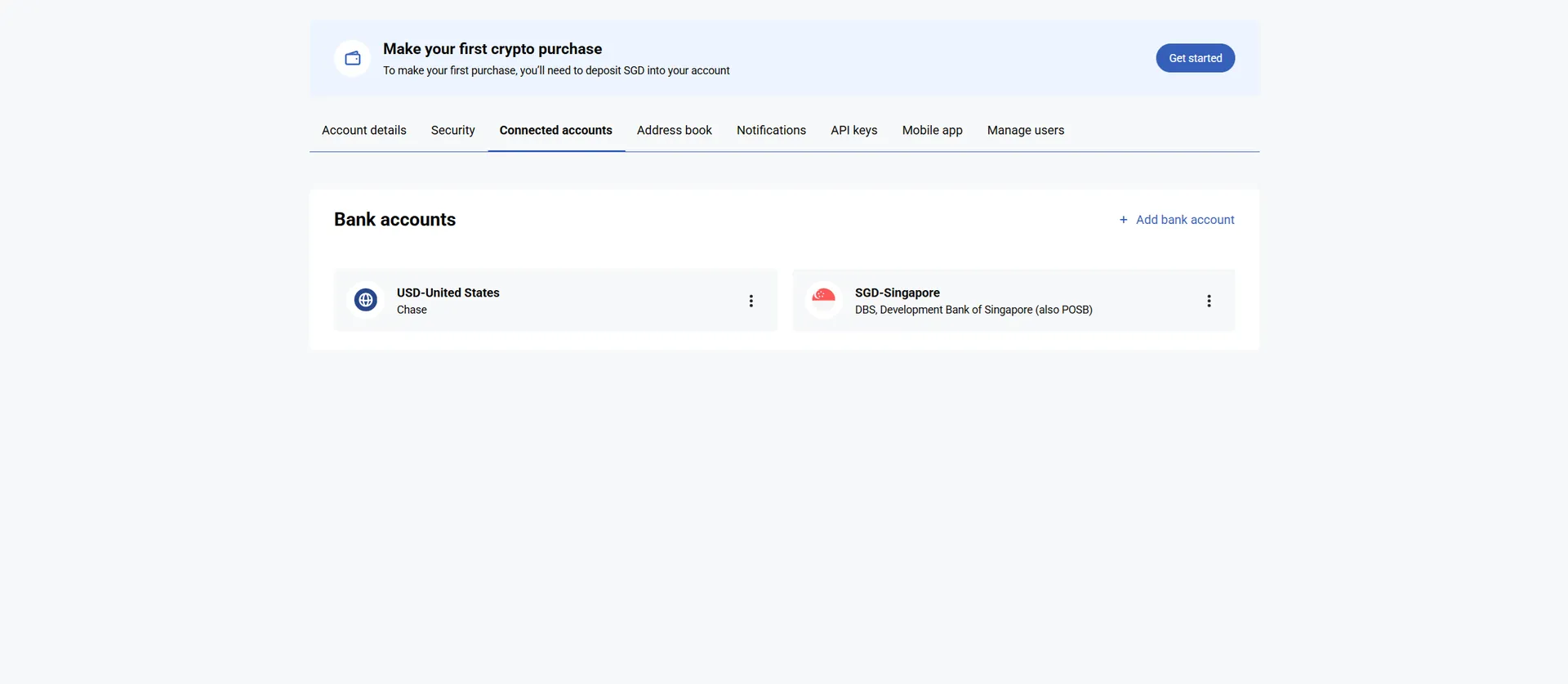
Once you have successfully added your bank accounts, they will appear on the Connected Accounts tab. You may link multiple bank accounts.
Important notes:
- You must have a bank account in Singapore to use FAST.

About the author
Brendon Lim
Content writer
Brendon Lim creates content for Independent Reserve, focusing on crypto and Web3. When he's not writing, he's absorbing — and often riffing on — the latest in pop culture.