A limit order lets you set the exact price at which you want to buy or sell cryptocurrency, instead of the current market price.
This guide explains how limit buy and limit sell orders work on Independent Reserve. This includes how the exchange reserve funds, what happens if the market never reaches your price, and how to place, manage and cancel a limit order on the web portal or mobile app.
Key takeaways
- A limit order only executes at your specified price or better. It will not fill if the market never reaches that level.
- A limit buy executes at no higher than your set price. A limit sell executes at no lower than your set price.
- Limit orders can be partially filled, then remain open on the order book or be cancelled, depending on available volume.
What is a limit order?
A limit order is an order to buy or sell cryptocurrency at a price you set, rather than at the current market price. A market order executes immediately at the best available price on the order book. A limit order instead waits until the market reaches your specified price before it executes.
A limit order gives you control over the price you pay or receive, but does not guarantee execution. If the market never reaches your limit price, the order remains open until it is matched or cancelled.
How does a limit order work?
A limit buy sets the most you are willing to pay. It sits on the order book until it is matched against a sell order at or below your price, or until you cancel it. It will not always fill immediately, and it can be partially filled before the remainder is cancelled. Under normal market and system conditions, you will not pay more than your set limit.
A limit sell works the same way, in reverse. It sets the least you are willing to accept. It sits on the order book until it is matched against a buy order at or above your price, or until you cancel it. The same partial-fill rules apply. You will not receive less than your set limit.
Placing a limit order reserves the funds required to fulfil it, ahead of execution. For a limit buy, this is the required amount from your fiat balance. For a limit sell, it is the required amount from your cryptocurrency balance.
Orders are matched on the order book by price, then by the time they were placed. Under normal market conditions, your order will fill at your set price or better. In fast-moving or low-liquidity markets, your order may fill at a slightly different price due to slippage, or may only be partially filled.
Where can I place a limit order?
Spot trading
Limit orders are available on every asset listed on Independent Reserve.
Leveraged trading
Limit orders of leveraged positions are only available on Bitcoin (BTC), Ethereum (ETH), Solana (SOL), Dogecoin (DOGE) and XRP (XRP). These are the same assets available for leveraged trading.
Leveraged limit orders sit on the same order book as spot orders and are matched the same way.
For more on how leveraged trading works, see our leveraged trading guide.
Things to know before placing a limit order
- Execution is not guaranteed. If the market never reaches your set price, your order remains open until it is matched or you cancel it.
- In fast-moving or highly volatile markets, your order may take longer to fill, fill at a different price than expected, or only be partially filled.
- A limit order is best used to enter a trade. If you are closing an existing trade at a target price, use Take Profit or Stop Loss instead.
How to place a limit order
On the Independent Reserve web portal
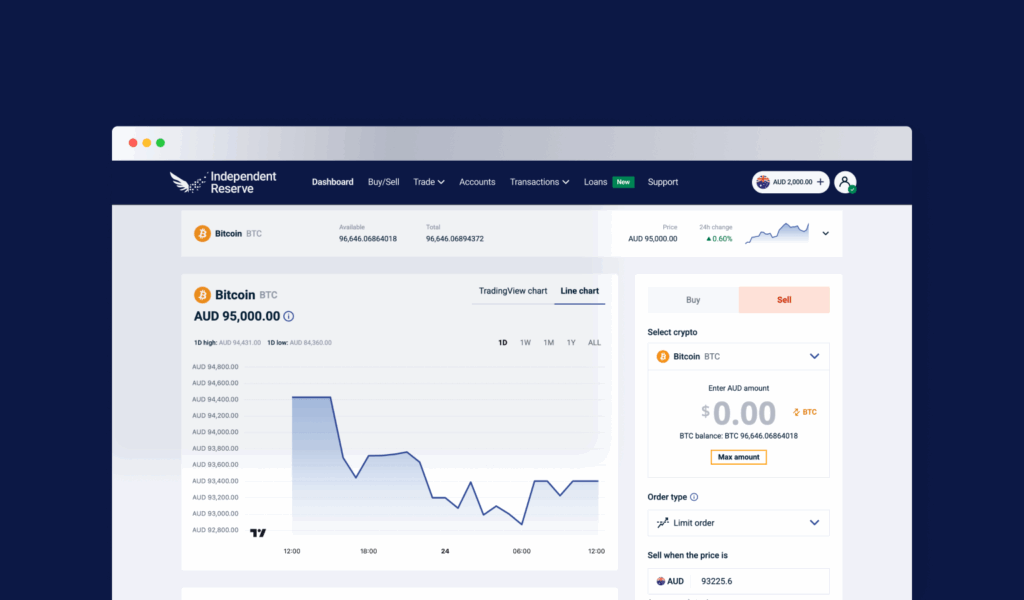
- Go to the trade screen.
- Select whether you want to buy or sell.
- Select the cryptocurrency you wish to trade.
- Enter the amount of cryptocurrency you want to trade.
- Select limit order as your order type.
- Enter the price at which you want your order to execute.
- Click preview order to review your limit order.
- Click place order once you have confirmed your order.
On the Independent Reserve mobile app
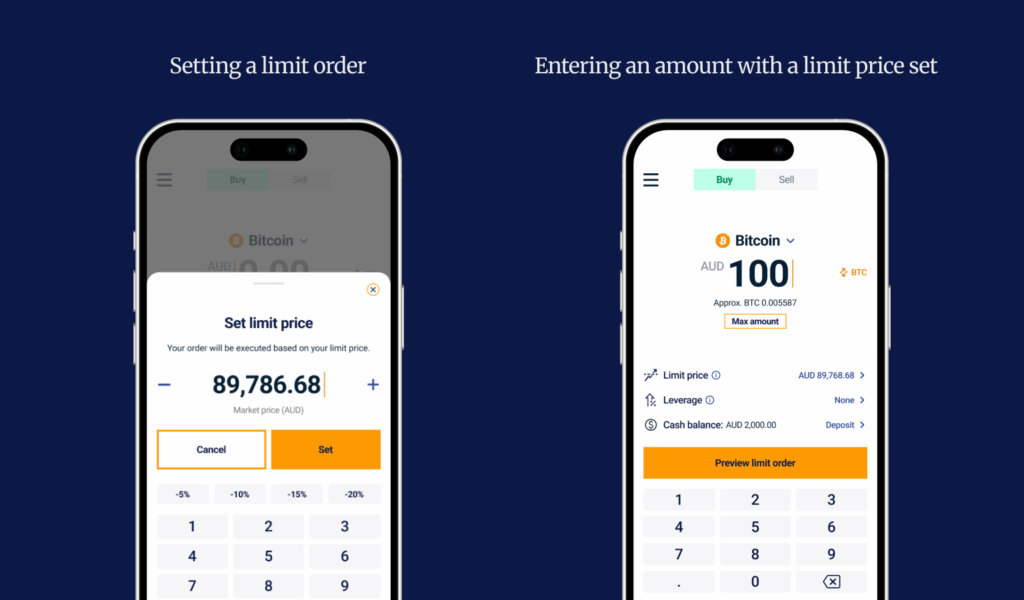
- Tap buy/sell on the bottom navigation bar.
- Select whether you want to buy or sell.
- Select the cryptocurrency you want to trade.
- Enter the amount of cryptocurrency you want to trade.
- Select the limit price toggle.
- Enter the price at which you want your order to execute.
- Review and confirm your order.
How to cancel a limit order
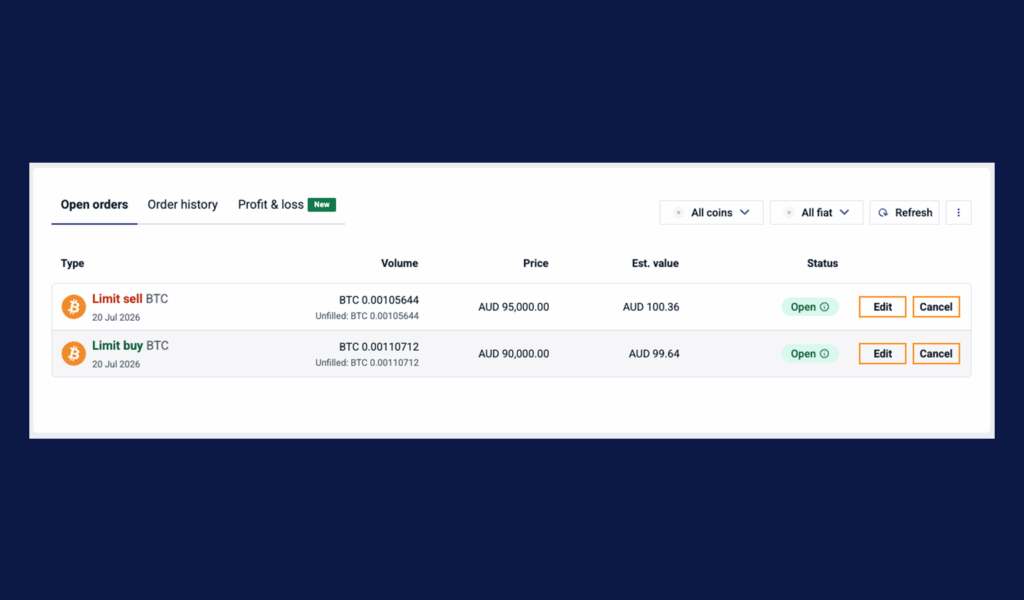
On the web portal
- Go to the trade screen.
- Scroll down to open orders.
- Click edit on the limit order you would like to cancel.
- Click cancel order and confirm to remove the order.
On the mobile app
- Tap coin details at the bottom right corner of the trade screen.
- Select the my orders tab at the top.
- Navigate to open orders.
- Tap cancel on the limit order you want to cancel.
- Tap cancel and confirm to remove the order.
What are the fees for limit orders?
Standard trading fees apply when your limit order is filled. There is no fee for placing or cancelling an unfilled limit order.
Trade with control over your price
A limit order is a useful tool when you want control over the price you pay or receive, and you’re comfortable waiting for the market to reach it.
Log in to place a limit order on your next trade.