How to exchange USDC to SGD in Singapore
Brendon LimUpdated Knowledge base3 min read
| Table of contentsStep-by-step guide: USDC to SGD on Independent ReserveCreate an Independent Reserve account; Deposit USDC into your Independent Reserve account; Convert your USDC to SGD; Withdraw SGD to your bank account; Frequently Asked Questions |
|---|
Independent Reserve is a MAS-licensed cryptocurrency exchange in Singapore. You can safely convert your USDC to SGD and withdraw directly to your local bank account.
We support USDC on ERC-20 and TRC-20 networks and allow SGD deposits and withdrawals via FAST bank transfer.
Step-by-step guide: USDC to SGD on Independent Reserve
1. Create an Independent Reserve account
You can follow the instructions using the following guides:
After creating your account, please note that you must complete the Risk Awareness Quiz before making any deposits.
2. Deposit USDC into your Independent Reserve account
On desktop
1. Log in to your Independent Reserve account
2. Click on ‘Accounts’
3. Look for ‘USDC’, then click on ‘Deposit’
4. Choose the correct network (ERC-20, Base, SPL or Arbitrum One) that matches your sending wallet or exchange.
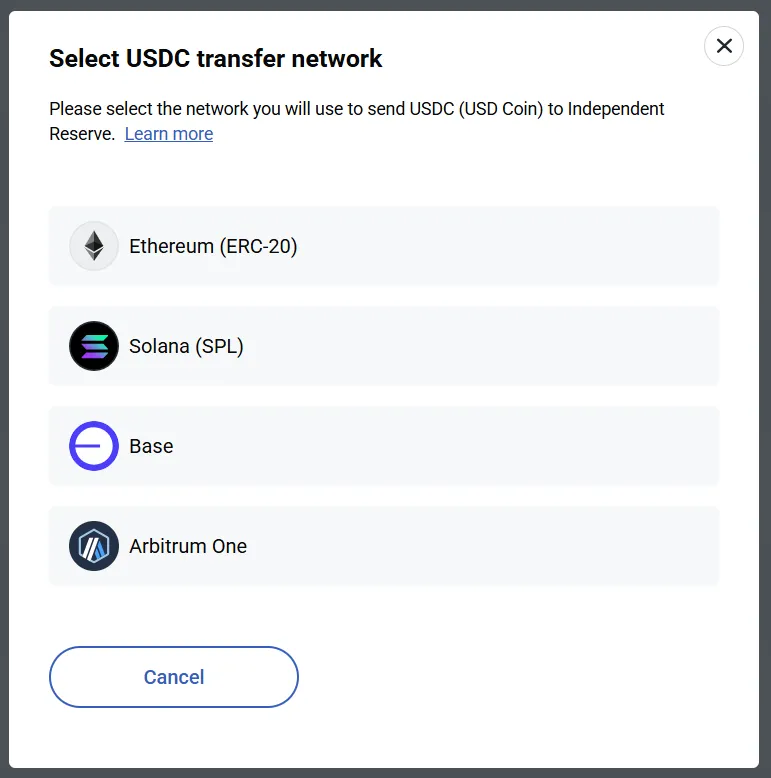
5. Copy your Independent Reserve USDC deposit address and transfer the desired amount of USDC to it.
6. Click on the ‘I made a deposit’ button.
7. Click on ‘OK’.
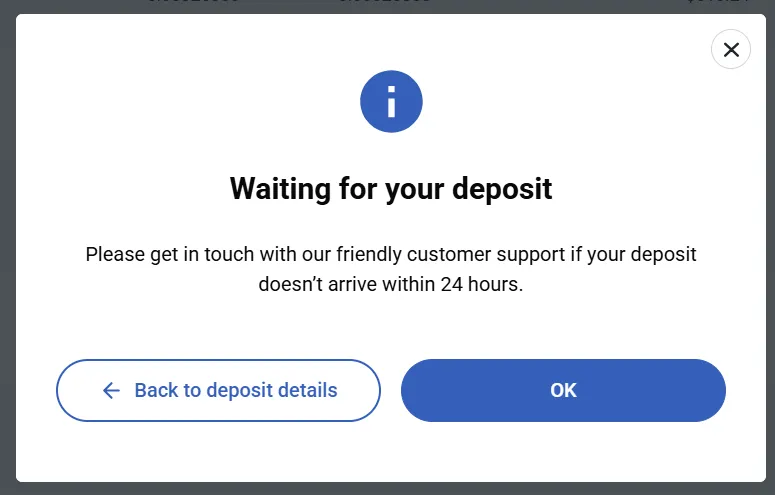
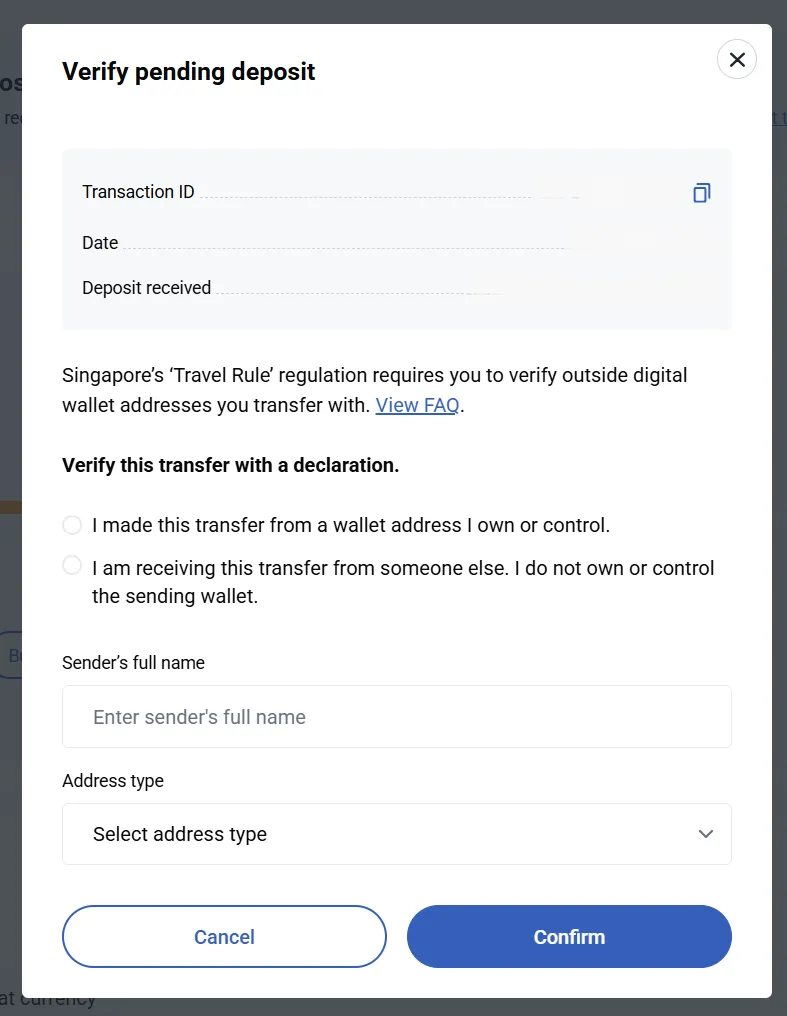
8. At the top of the page, you will be prompted to verify your deposit if you are depositing from a new wallet address. Click on ‘Verify deposit’.

9. Enter the details, then click ‘Confirm’.
On mobile app
1. Click on ‘Wallet’.
2. Look for ‘USDC’ and tap on it.
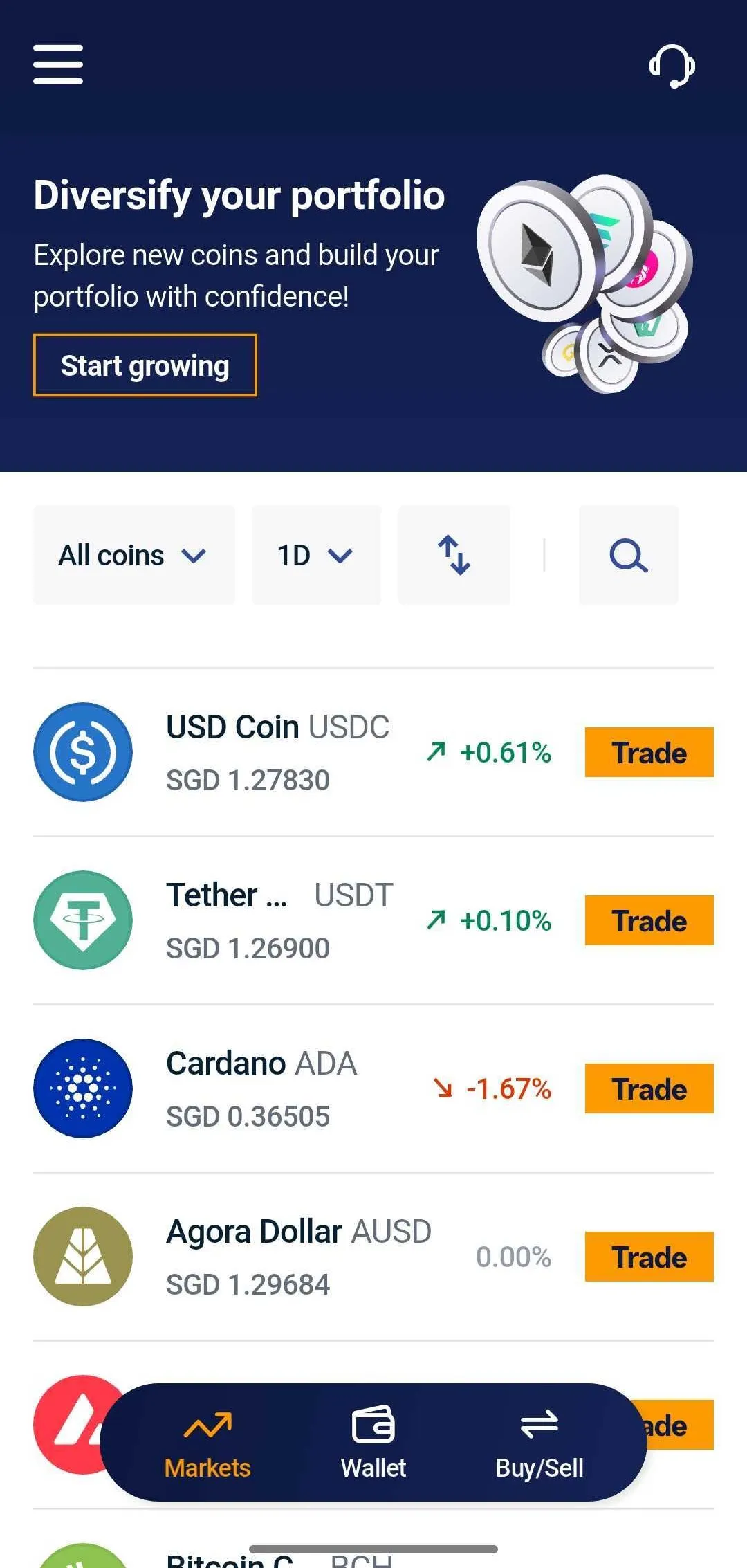
3. Under the opened bottomsheet, tap on the Wallet icon.
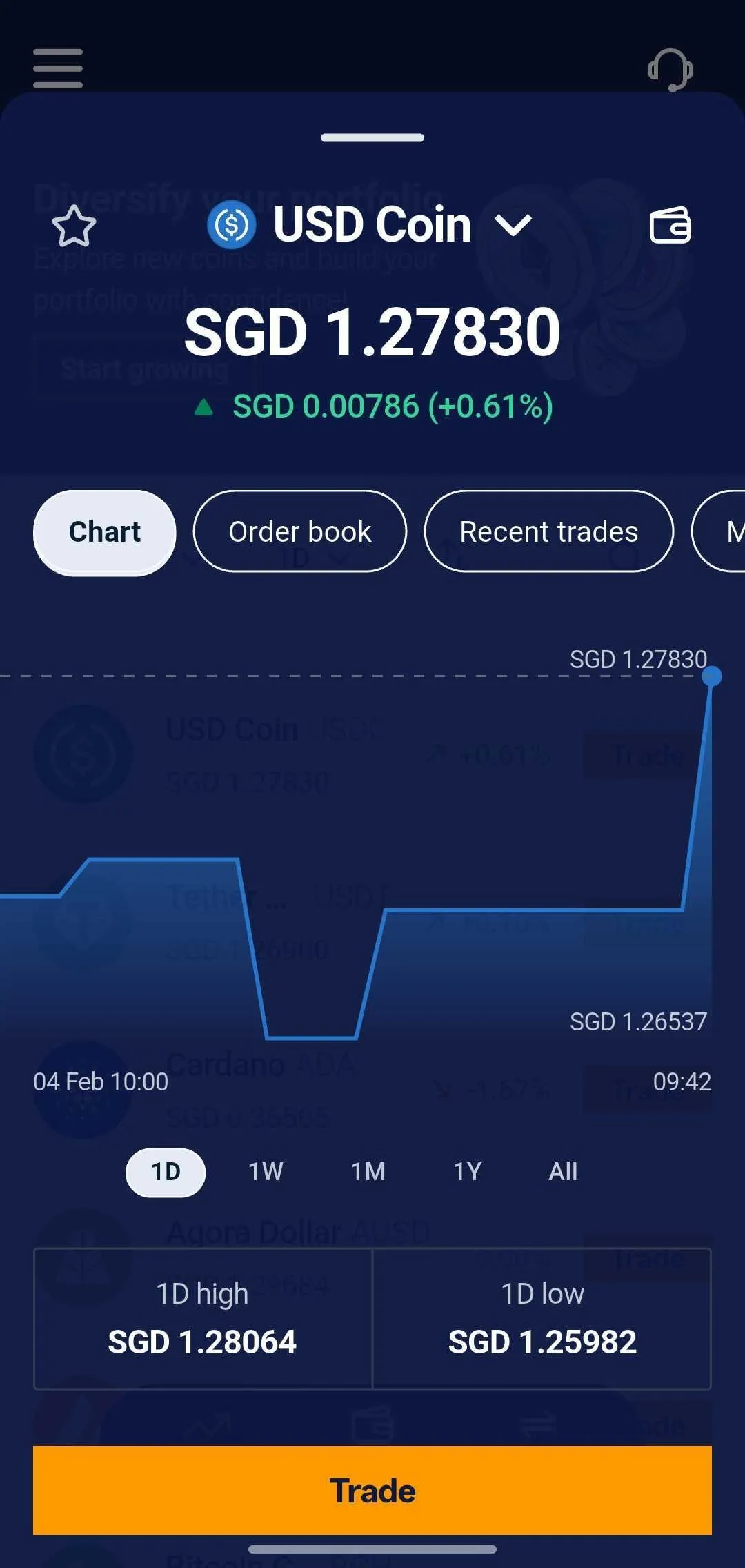
4. Tap on 'Receive USDC'
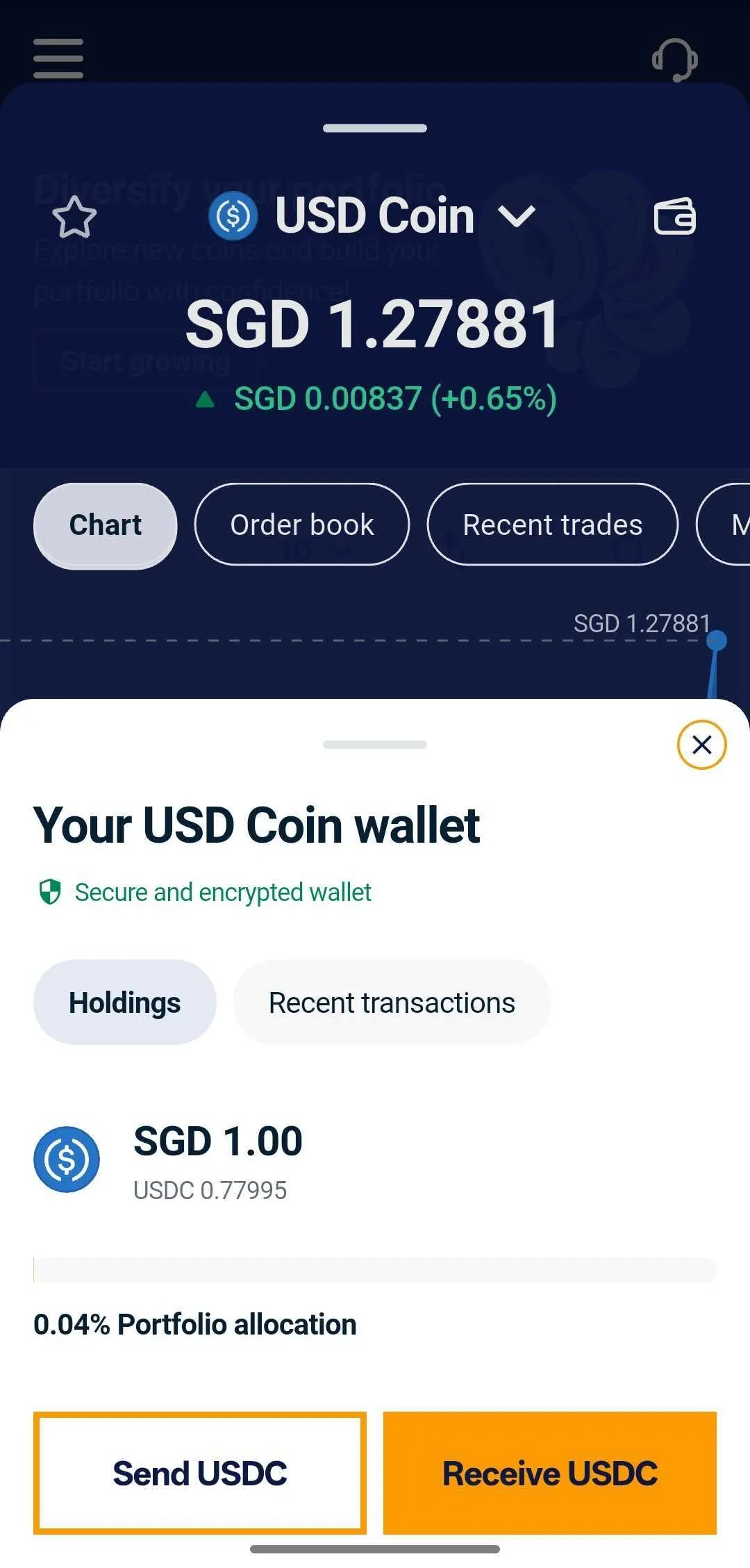
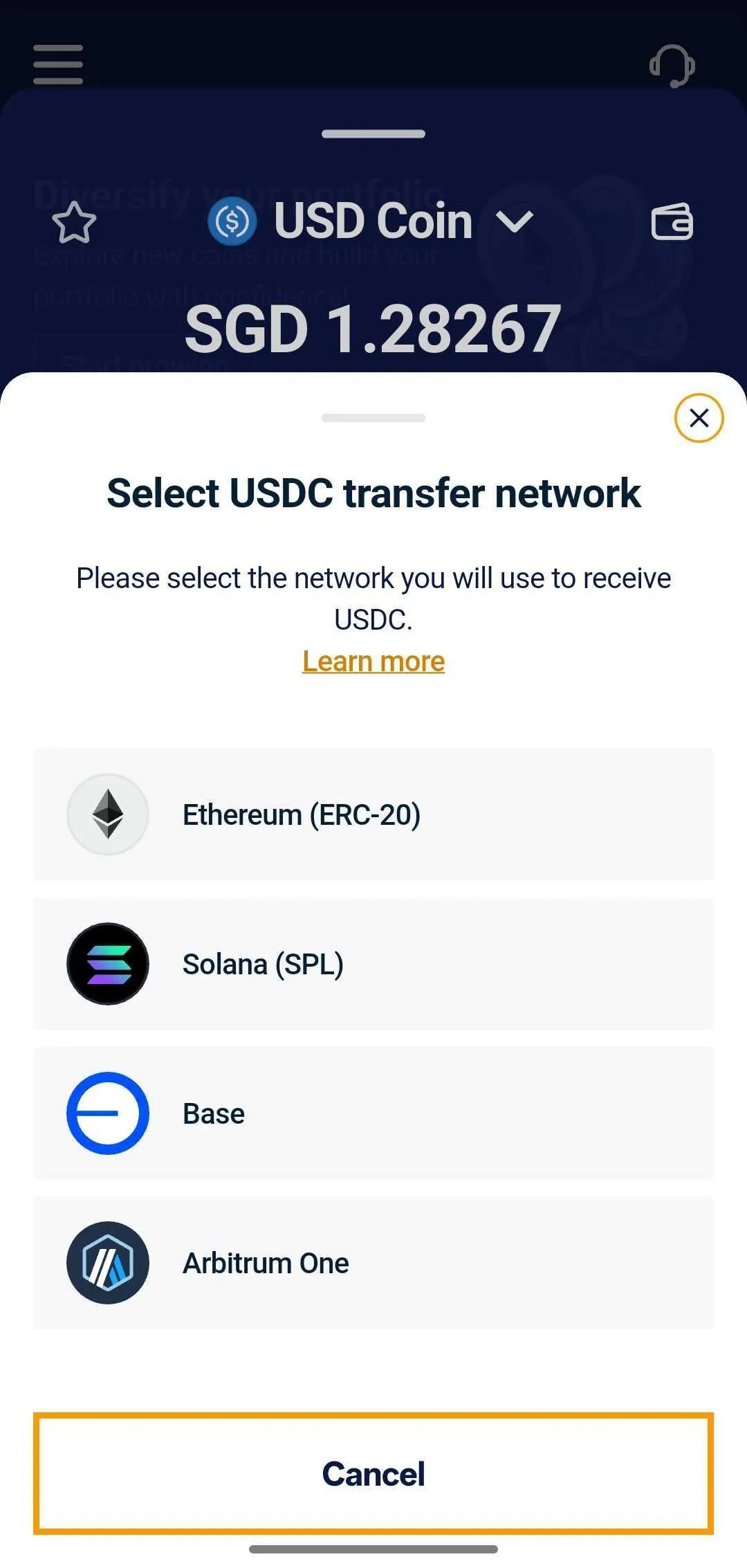
5. Choose the correct network (ERC-20, Base, SPL or Arbitrum One) that matches your sending wallet or exchange.
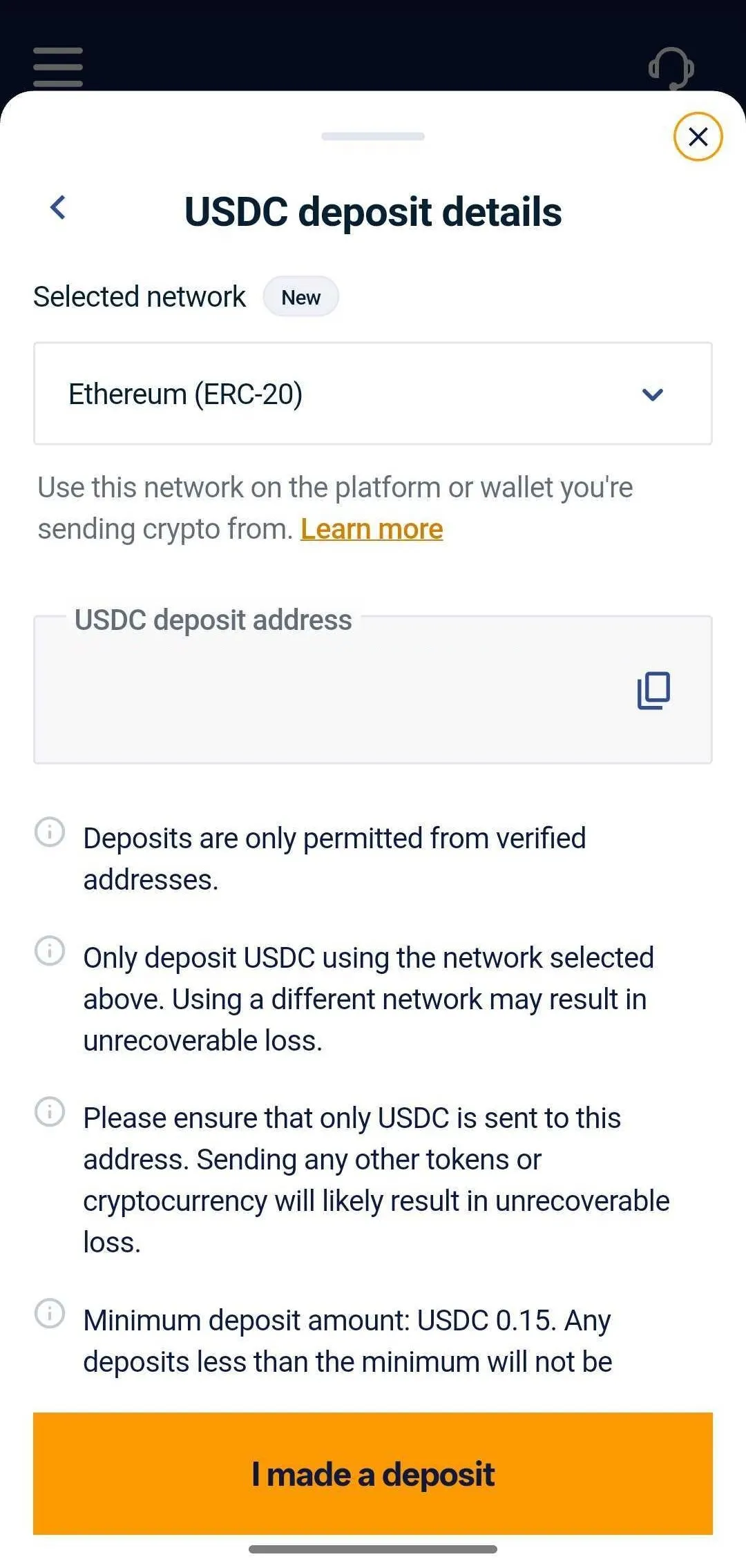
6. Copy your Independent Reserve USDC deposit address and transfer the desired amount of USDC to it. After depositing, tap on the ‘I made a deposit’ button.
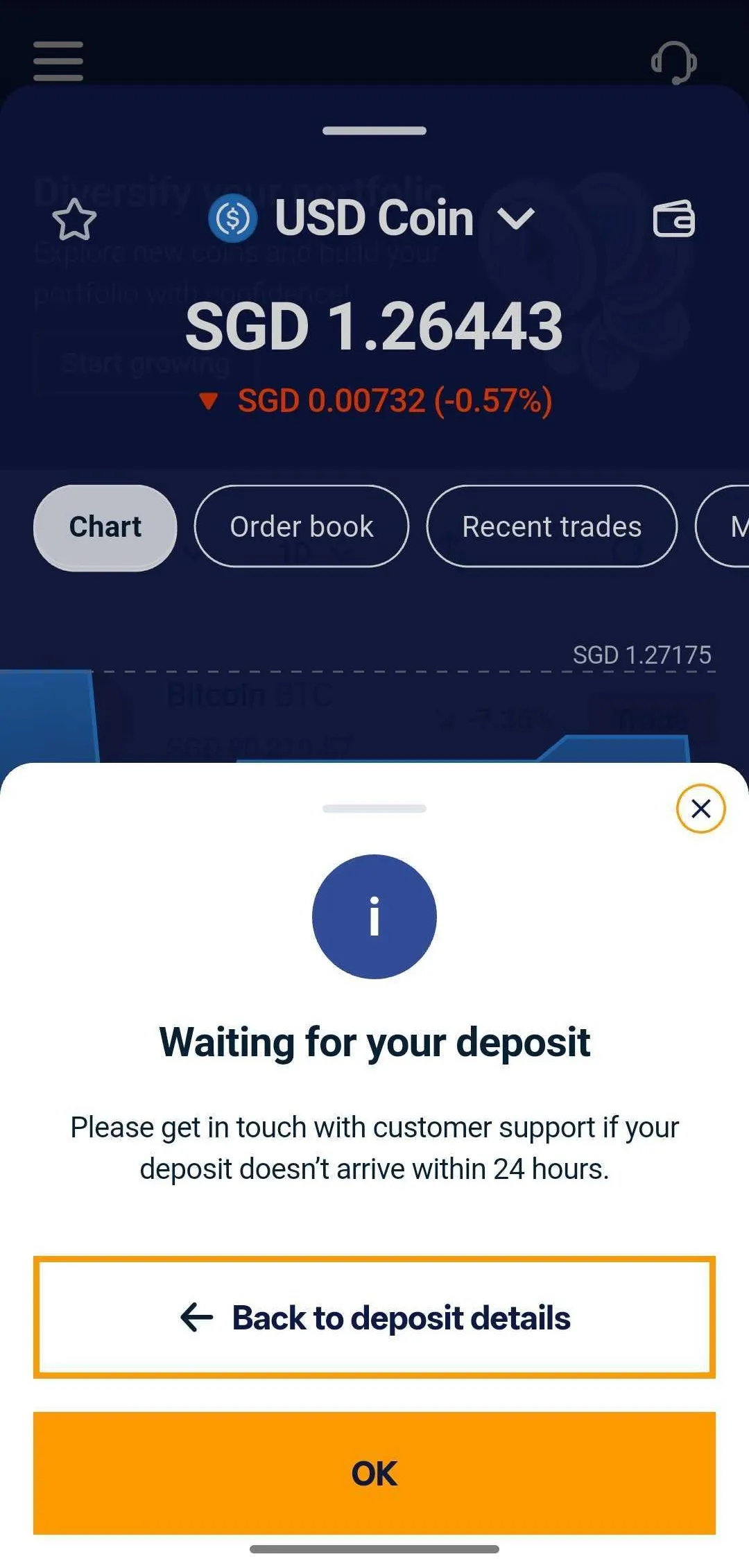
7. Click on ‘OK’.
8. At the top of the page, you will be prompted to verify your deposit if you are depositing from a new wallet address. Click on ‘Verify deposit’.
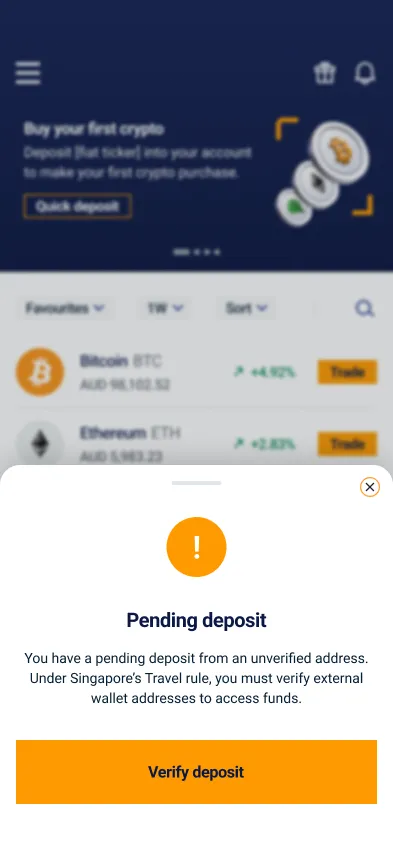
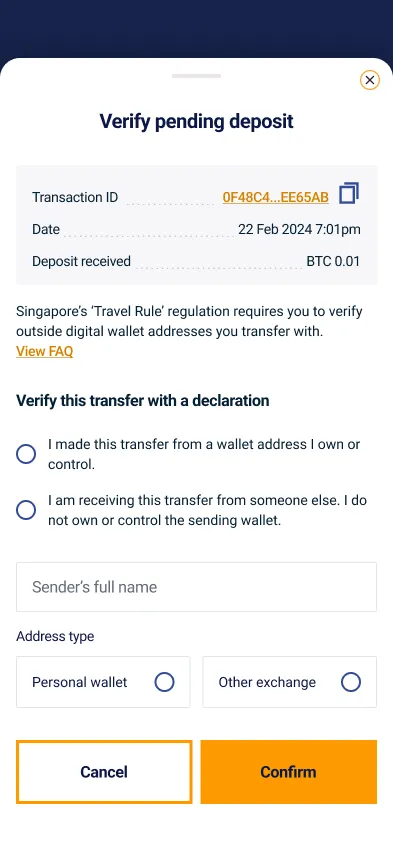
9. Enter the details, then click ‘Confirm’.
Important:
- Always double-check the network. Sending crypto over the wrong network may result in permanent loss of your funds.
- Ensure that the token you are depositing corresponds to the address, i.e USDC to a USDC address
- Wait for network confirmations before your balance is credited.
3. Convert your USDC to SGD
Desktop
1. Go to ‘Markets’ in the top menu.
2. Look for USDC, then click on ‘Sell’.
3. Enter the amount of USDC you want to sell, then click on the ‘Sell USDC’.
4. Review the estimated volume sold and total received. Once done, click on ‘Sell USDC’.
5. If the sell order is successful, you should see the status ‘Filled’ at the top of the order.

6. The SGD will be credited to your SGD wallet immediately.
Mobile app
1. Click on ‘Markets’
2. Look for ‘USDC’ and tap on it
3. Under the opened bottomsheet, tap Trade. This will take you to the Markets page for USDC.
4. Choose Sell and select either:
- Market order: executes instantly at the best available price
- Limit order: executes only when your target price is reached
5. Enter the amount of USDC you wish to sell, then click on ‘Preview order’
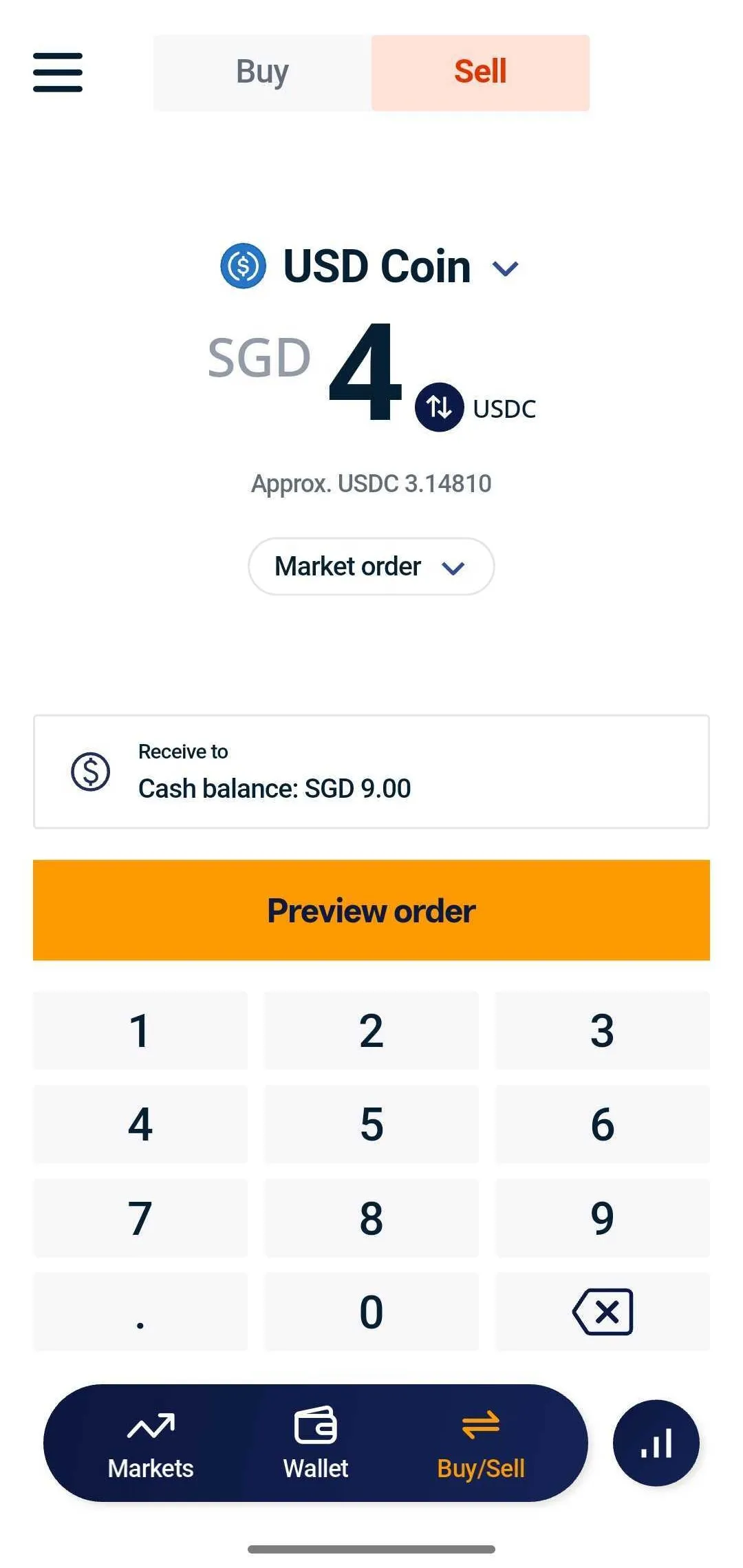
6. Review the estimated volume sold and total received. Once done, click on ‘Place order’
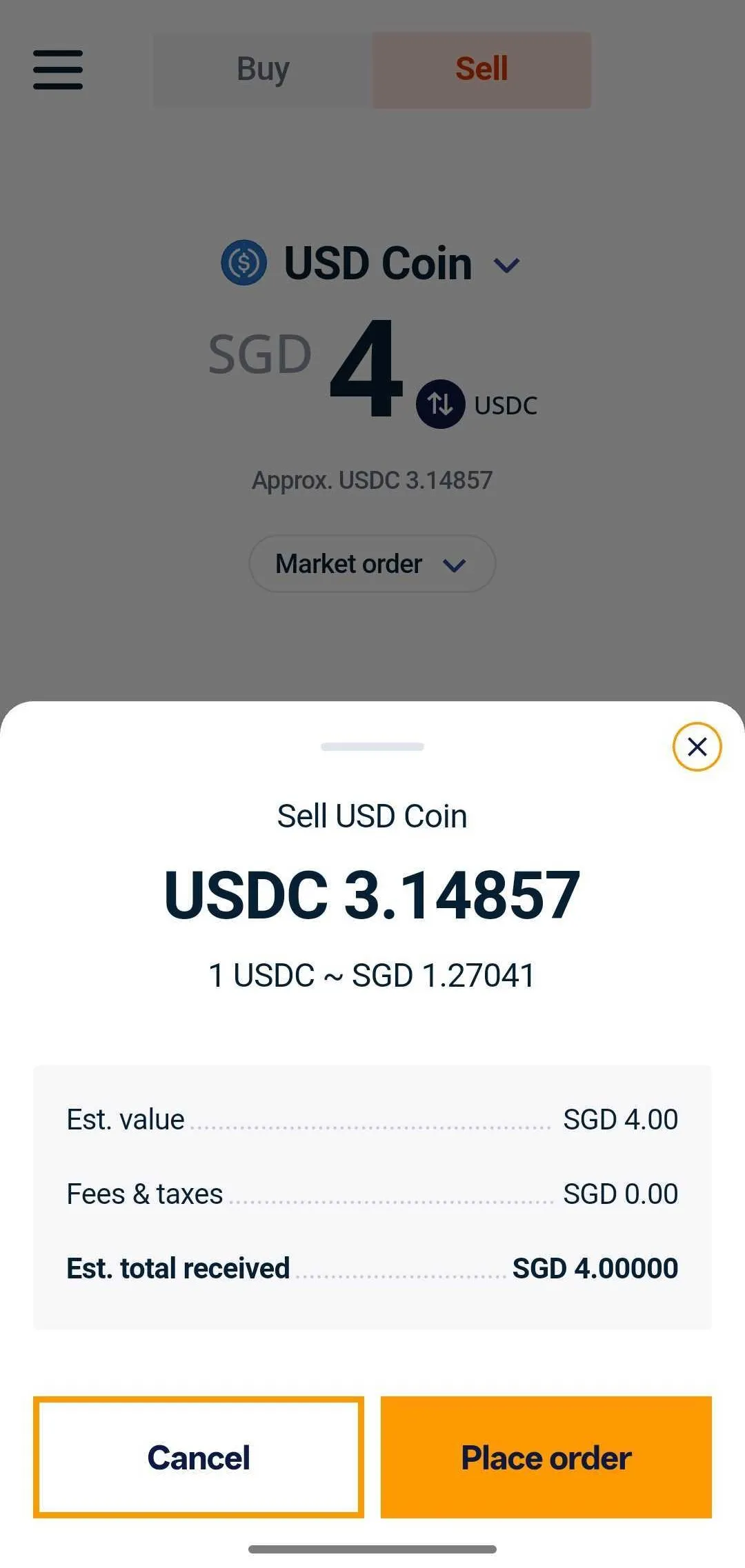
7. If the sell order is successful, you should see a 'Successfully sold' pop-up window.
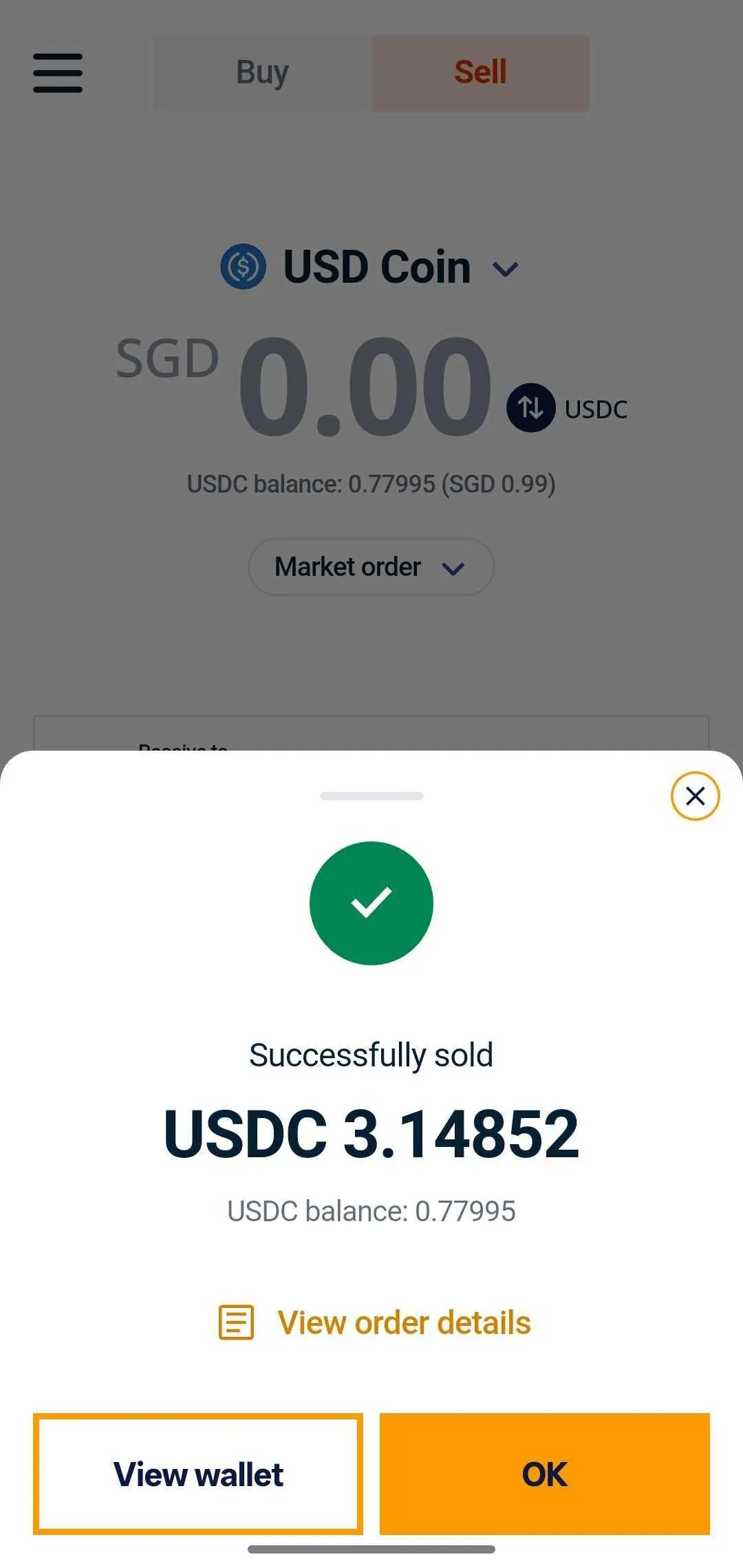
8. The SGD should be credited to your SGD wallet immediately.
4. Withdraw SGD to your bank account
You will need to connect your bank account. You can follow the instructions using the following guide: How to link your bank account on Independent Reserve
Once done, you can follow the guides below to withdraw SGD to your bank account:
Frequently Asked Questions
Are there any fees for selling crypto?
- Buying and selling crypto incurs a 0.5% fee. Find our complete list of fees here.
- For transactions above SGD $50,000, you can use our over-the-counter crypto trading desk to help minimise price slippage.
Is there a withdrawal limit for bank transfers?
Depending on your personal transfer limits, the amount of money you can transfer using FAST may be limited. If you require a higher limit, you can request it via support@independentreserve.com.

About the author
Brendon Lim
Content writer
Brendon Lim creates content for Independent Reserve, focusing on crypto and Web3. When he's not writing, he's absorbing — and often riffing on — the latest in pop culture.